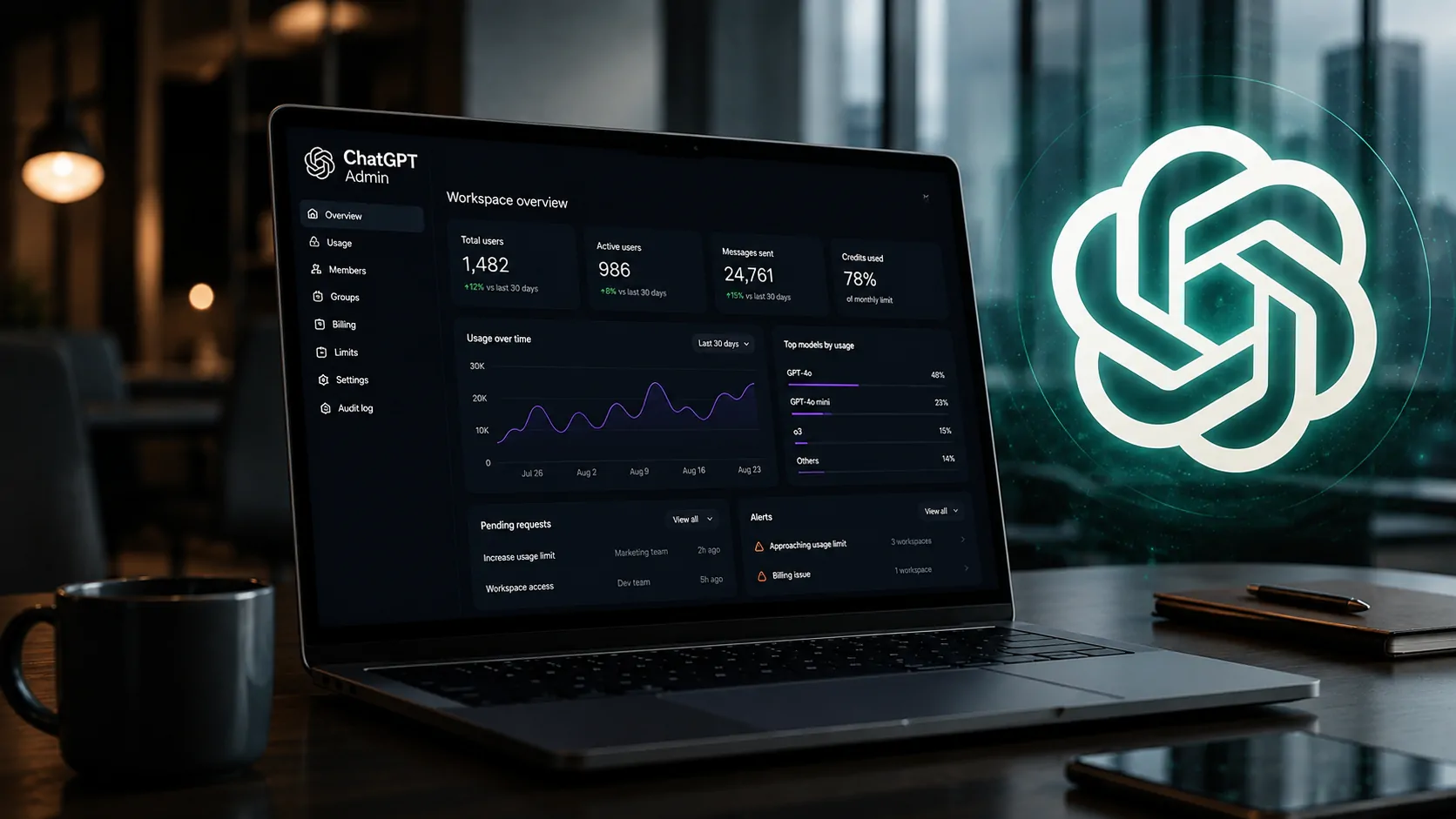
The new Admin plugin connects usage analysis, permissions and administrative actions to ChatGPT Work and Codex, signaling an important shift: ChatGPT is beginning to occupy an operational layer in the management of enterprise AI environments.
OpenAI brings workspace administration into ChatGPT
OpenAI launched the Admin plugin for ChatGPT Work and Codex on Tuesday, August 25. The new tool allows administrators to access workspace information, analyze usage, change settings and perform authorized administrative actions directly through a conversation.
The change matters because it reduces the need to move between different administration screens, reports and tools to understand a problem and act on it. An administrator can ask a question, investigate the relevant data, request a change and verify the result within the same workflow.
The move also expands the role of ChatGPT Work inside companies. The platform is no longer limited to providing an environment for employees to perform AI-powered tasks. It is also beginning to incorporate capabilities for managing the environment in which those AI systems operate.
That is the central change behind the launch: conversation with AI is becoming an interface for enterprise administrative operations as well.
What the Admin plugin can manage

The Admin plugin brings usage, access and administration information together through a conversational interface.
Usage and adoption
Administrators can check activity and credit consumption across ChatGPT Work and Codex. The tool can also help identify members or groups that are approaching usage limits.
This changes how organizations can monitor adoption because managers do not necessarily have to start with a static dashboard. Information can be requested within a conversation and analyzed in the context of a specific situation.
Members, groups and permissions
The plugin can also handle tasks involving members and groups, including onboarding and offboarding processes and changes to the structure of a workspace.
Access management is another important component. Administrators can review effective permissions, investigate access problems and control the availability of specific resources or models according to roles and groups.
In practice, OpenAI is bringing together three activities that are normally separated: understanding what is happening, deciding what needs to be done and executing the change.
The new tool does not remove administrative controls
For businesses, one of the most important aspects of the plugin is not only what it can do, but also what it cannot do.
Existing permissions still apply
According to OpenAI, the Admin plugin operates within the roles and permissions each administrator already has. Installing the tool does not automatically grant broader access to the environment.
Each request is associated with an administrative action that is compatible with existing permissions. Higher-impact changes may also require review before they are applied.
This architecture matters because a conversational interface can make an operation much easier to execute, but simplifying execution does not eliminate the rules that determine who is authorized to perform a specific action.
Actions can be verified within the workflow
Administrators can also check what they requested, whether the action was completed and what actually changed.
This confirmation addresses one of the problems created by administrative processes spread across multiple tools: the difficulty of determining exactly which changes were made after a request has been executed.
For companies rapidly expanding their use of AI, this level of control can become just as important as execution speed.
OpenAI wants to automate part of the administrator’s routine
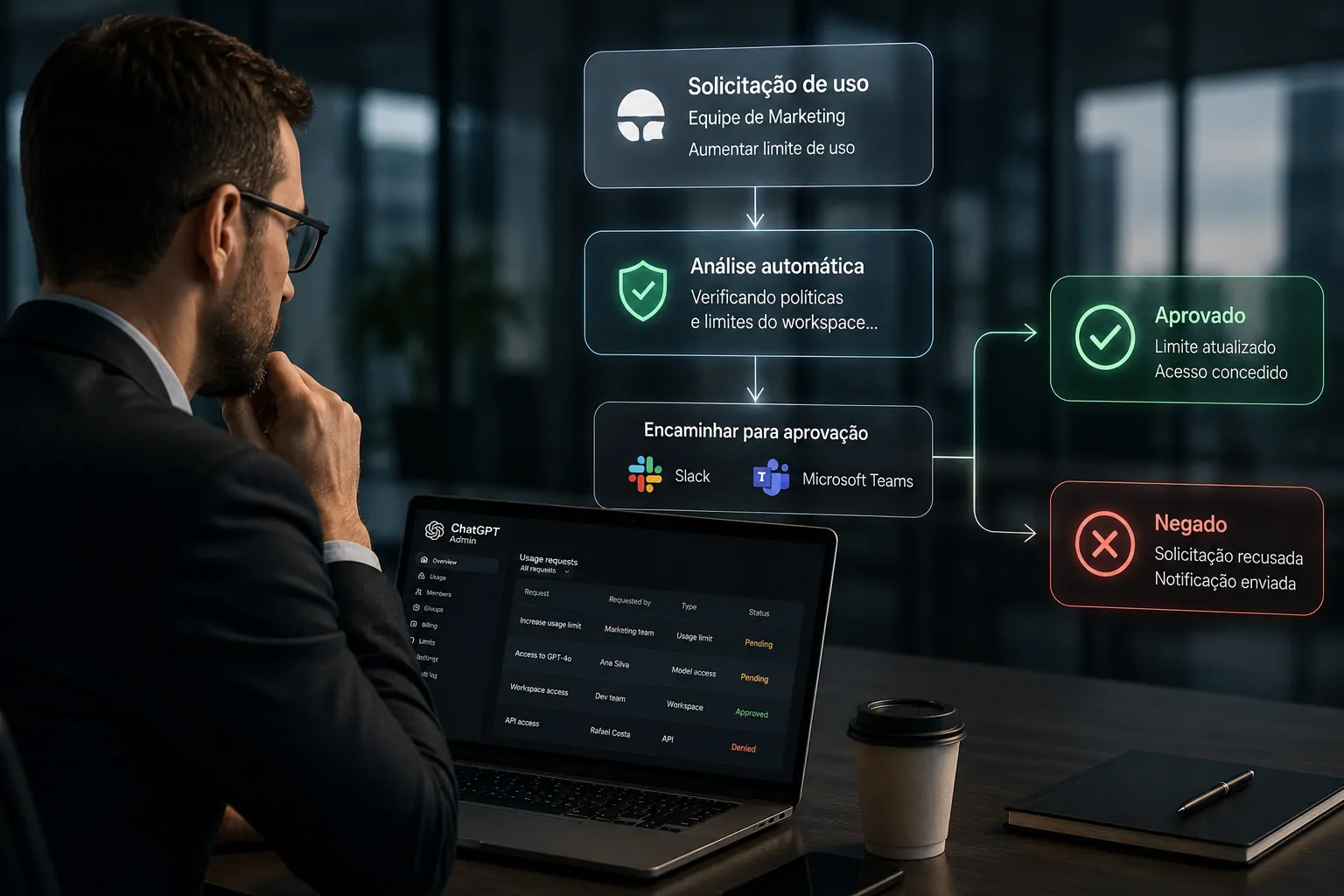
The plugin is also designed to automate recurring administrative checks and requests.
The Admin plugin was not designed only to answer questions about a workspace. OpenAI also envisions it being used for recurring administrative automations.
One example is routing usage requests to Slack or Microsoft Teams, where authorized reviewers can approve or deny requests within the tools they already use.
Another workflow can monitor requests for access to resources and automatically grant access when specific criteria are met, while exceptions are routed for human review.
Less manual work without removing human decisions
The approach is particularly relevant for teams responsible for managing growing AI environments.
Instead of manually checking multiple dashboards, identifying a request, reviewing policies and then executing a change, part of that process can be handled through the conversational interface itself.
OpenAI, however, maintains an important distinction: automation does not mean unrestricted autonomy. Administrators remain responsible for decisions, while actions continue to follow permissions, policies and approval requirements.
The launch expands ChatGPT’s enterprise strategy
The new capability needs to be viewed within the broader evolution of OpenAI’s enterprise strategy.
In July, the company introduced ChatGPT Work as an agent capable of working with applications and files, handling complex tasks and continuing to work on projects for longer periods. Codex has also expanded beyond its traditional programming role and is becoming part of broader professional workflows.
This evolution is happening alongside the expansion of ChatGPT into enterprise tools. One example is its integration with Google Drive, which brought corporate files and information further into AI-powered workflows. ChatGPT gains Google Drive integration and expands AI’s role in business.
The Admin plugin adds another layer to this strategy: the administration of the AI environment itself is becoming part of the conversational workflow.
The move also helps explain why OpenAI is expanding the concept of plugins. Rather than serving only as extensions that add a specific capability, they can bring together the resources needed to execute complete workflows within ChatGPT and Codex.
In that context, the launch is more than a new tool for administrators. It represents an attempt to turn the conversational interface into an entry point for a broader range of enterprise operations.
AI management could become increasingly conversational
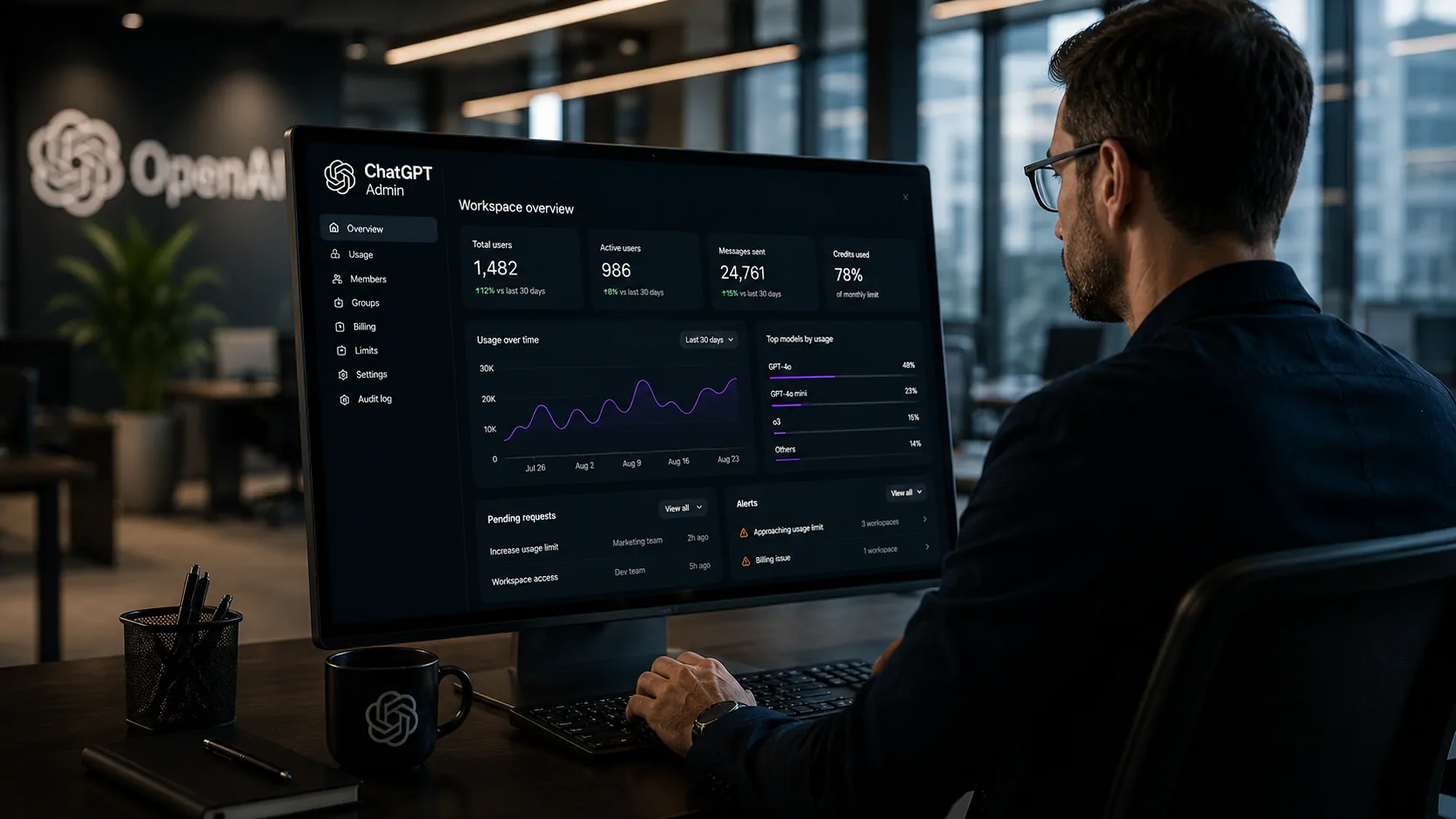
The Admin plugin points toward a model in which administrative queries and actions can happen within the same workflow.
The most interesting consequence of the launch is not a single feature. It is the change in interface.
For years, enterprise software administration meant navigating dashboards, menus, reports and specialized systems. The Admin plugin proposes an alternative: administrators describe what they need to understand or accomplish, and the system connects the request to the available administrative tools.
This could reduce friction in routine operations, particularly for organizations with large numbers of users, groups, permissions and usage limits.
But conversational interfaces also increase the importance of governance. The more actions that can be initiated through natural language, the more important it becomes to define who can request what, which actions require approval and how changes are audited.
That issue becomes even more important as AI agents begin taking actions on behalf of businesses. Notícia Tech has previously examined how this autonomy creates a new accountability challenge for organizations using agents that can act directly inside enterprise systems. AI agents create a new problem for businesses: who is responsible for autonomous actions?.
The move by OpenAI does not mean ChatGPT is replacing traditional administrative systems. What the launch shows is more specific: the company is attempting to position ChatGPT between employees and a growing portion of enterprise operations.
For businesses, the next question is how far this administrative layer can go. If OpenAI continues connecting conversation, context, permissions and execution, ChatGPT could evolve beyond being the place where employees use AI and become one of the interfaces through which organizations operate and govern their AI environments.
Comentários
Os comentários utilizam autenticação via GitHub para manter um ambiente mais qualificado, seguro e livre de spam.
Entrar ou criar conta no GitHub